dumpstool logo

You are creating a custom agent in the Microsoft 365 Copilot app for the marketing team at your company. The agent will be used to produce marketing collateral, including copy, logos, and artwork.
What should you add to the agent? More than one answer choice may achieve the goal. Select the BEST answer.
You have a Microsoft 365 subscription.
You do NOT have a Microsoft 365 Copilot license.
When you send a prompt in Microsoft 365 Copilot Chat, which three sources does Copilot Chat use to respond? Each correct answer presents part of the solution.
NOTE: Each correct selection is worth one point.
Which statement accurately describes Microsoft 365 Copilot data security when using a regular chat?
You use Microsoft 365 Copilot to generate a training plan.
You need to check if there are any existing training plans in your organization that are similar to the new training plan. What should you use in Copilot?
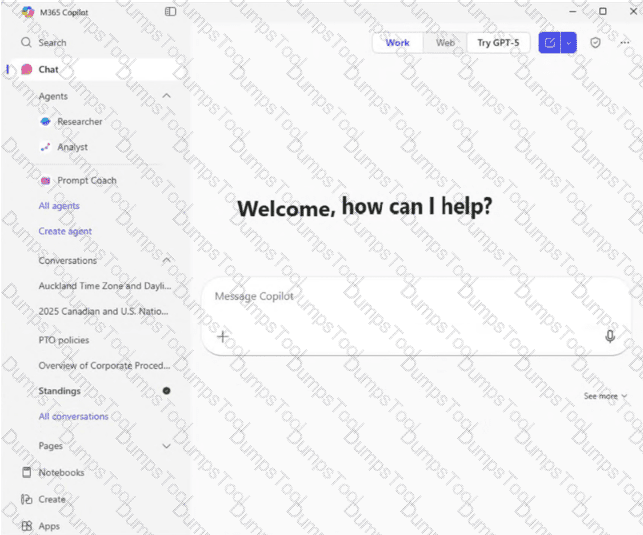
You open Microsoft 365 Copilot as shown in the exhibit.
What can you infer about the Standings conversation?
You create a Microsoft 365 Copilot notebook and add a file named Process.docx from a Microsoft SharePoint site as a reference.
Yesterday, a user updated Process.docx in the SharePoint site.
What will occur when you chat in the notebook?
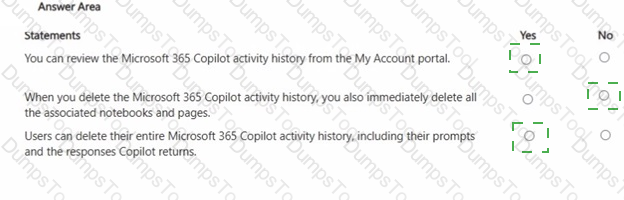
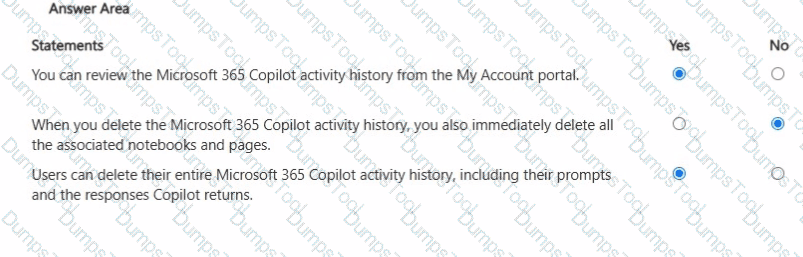
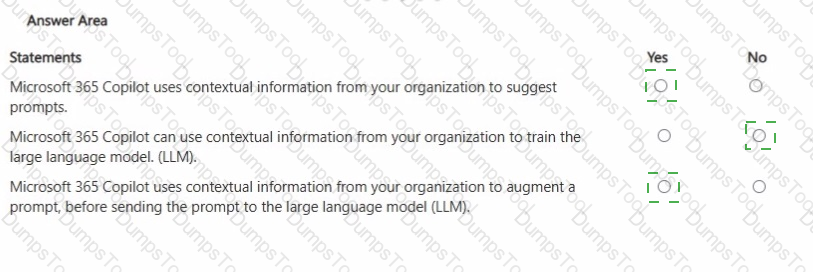
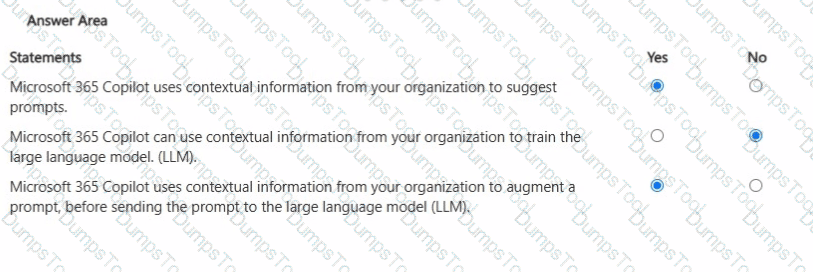
For each of the following statements, select Yes if the statement is true. Otherwise, select No. NOTE: Each correct selection is worth one point.
You join an internal Microsoft Teams meeting late and want to catch up on what you missed. The meeting is being recorded. You need to summarize the portion of the meeting that you missed as soon as possible.
What is the best approach to achieve the goal? More than one answer choice may achieve the goal. Select the BEST answer.
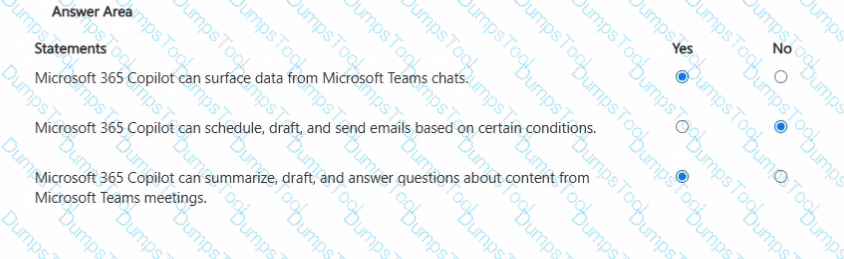
For each of the following statements, select Yes if the statement is true. Otherwise, select No. NOTE: Each correct selection is worth one point.
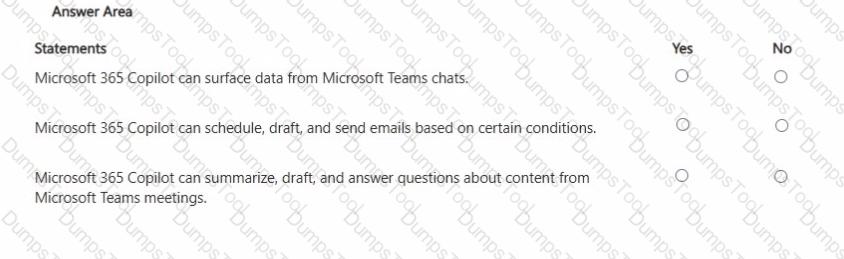
For each of the following statements, select Yes if the statement is true. Otherwise, select No. NOTE: Each correct selection is worth one point.
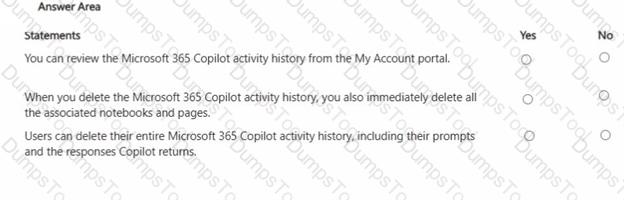
You are creating a custom analytics agent in the Microsoft 365 Copilot app. The agent will use Microsoft Excel files that contain sales data as knowledge.
You need to ensure that the agent can create visualizations, perform mathematical operations, create aggregations, and analyze the data in the files.
What should you add to the agent?
You plan to create an agent in the Microsoft 365 Copilot app to help meeting organizers create and run effective meetings The agent will be used to prepare invite emails, assign meeting roles, and take meeting notes.
You need to create the agent as soon as passible, and then perform a basic test of the agent. The solution must minimize effort.
What is the best approach to achieve the goal? More than one answer choice may achieve the goal Select the BEST answer.
You are using Microsoft 365 Copilot to enhance your productivity in Microsoft Word.
Which two tasks can you achieve by using Copilot in Word?
You create an agent in the Microsoft 365 Copilot app by using a template.
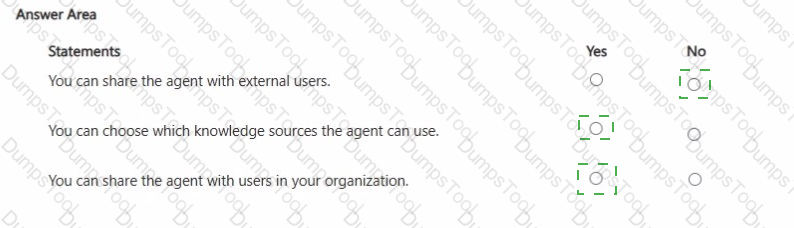
For each of the following statements, select Yes if the statement is true. Otherwise, select No.
NOTE: Each correct selection is worth one point.
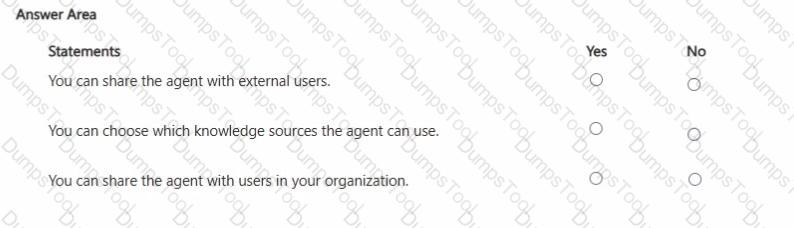
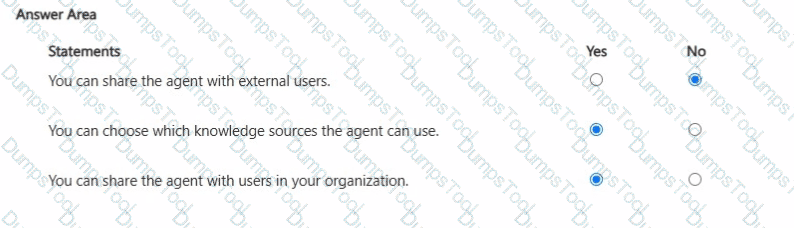
For each of the following statements, select Yes if the statement is true. Otherwise, select No.
NOTE: Each correct selection is worth one point.
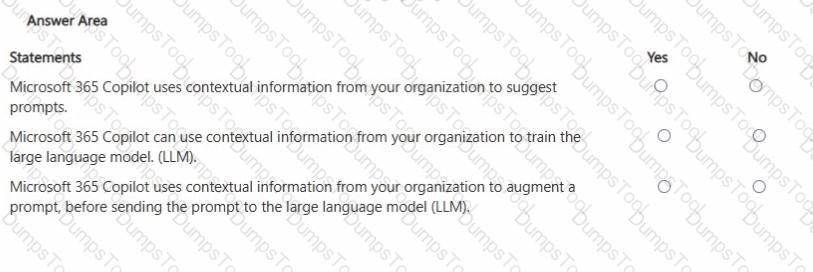
You have a Microsoft 365 Copilot license.
You plan to run several prompts.
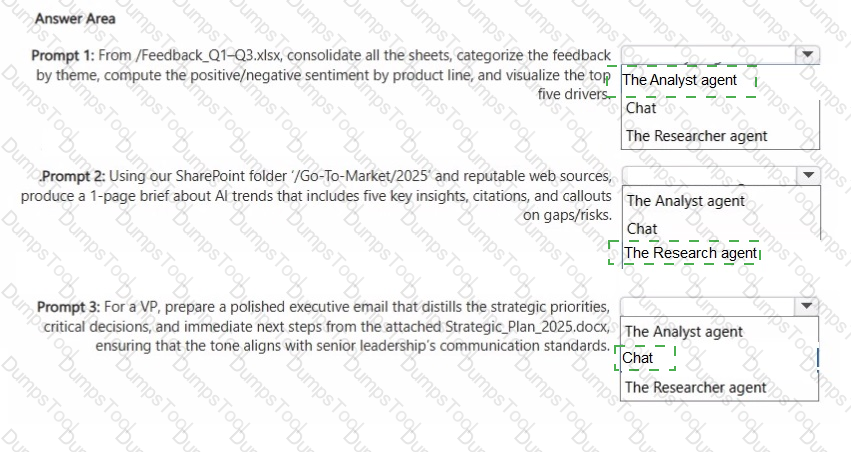
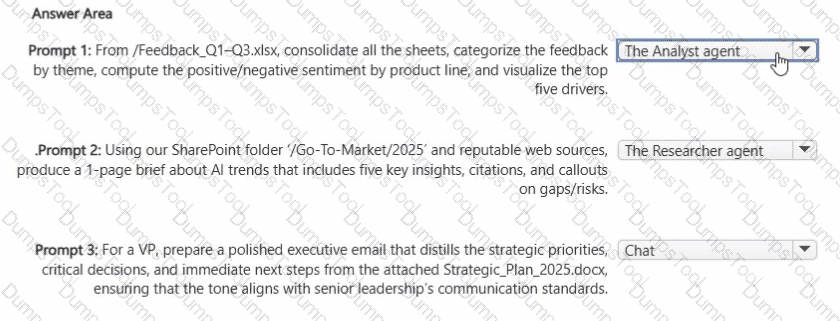
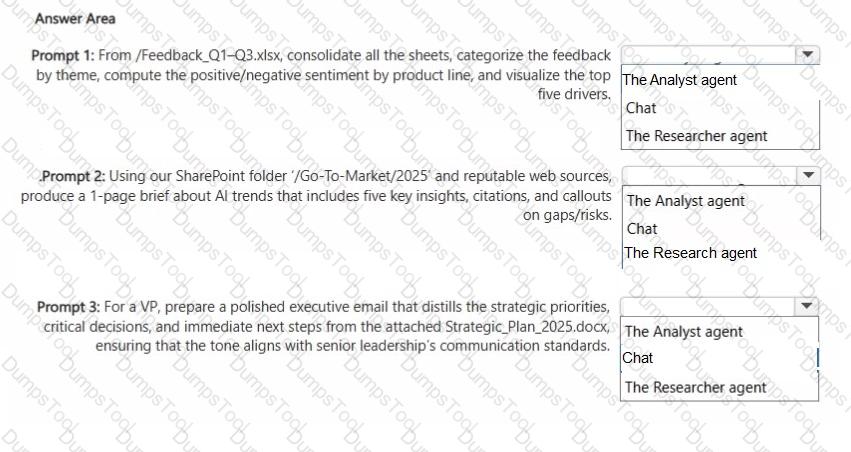
What should you use to ensure that Copilot generates the best response for each prompt? More than one answer choice may achieve the goal. To answer, select the Best options in the answer area.
NOTE: Each correct selection is worth one point.
You use Microsoft 365 Copilot.
You regularly upload the same five files to Copilot chats.
You need to simplify referencing the files in the chats.
What are two ways to achieve the goal?
You are a project coordinator for a small consulting firm.
You are responsible for tracking client communications, managing project timelines, and preparing weekly status updates for internal stakeholders.
You have a Microsoft 365 Copilot license.
You create an agent to help you monitor project milestones, follow up on client emails, and generate weekly summary reports.
With whom can you share the agent?

TESTED 03 Oct 2026